 Portline
SSH client for iPhone
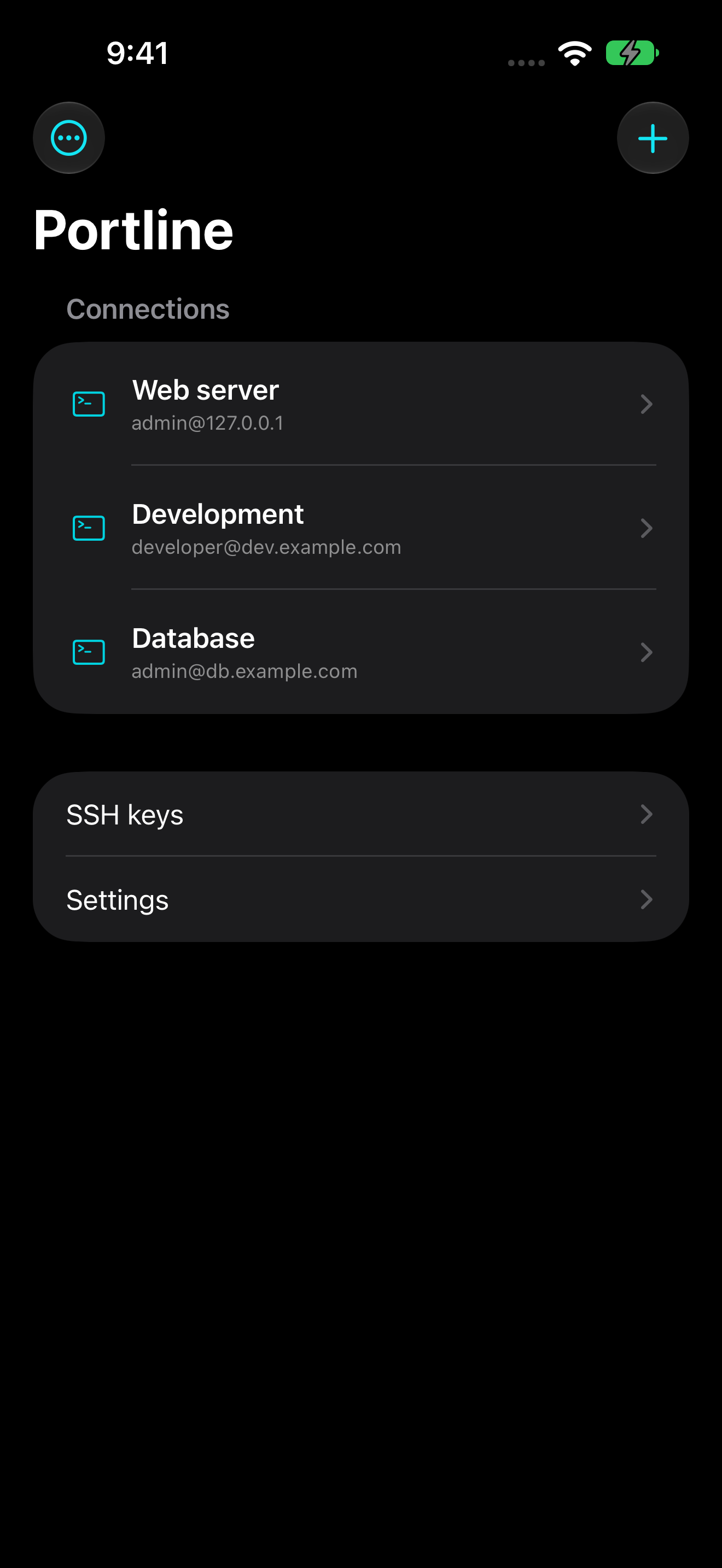
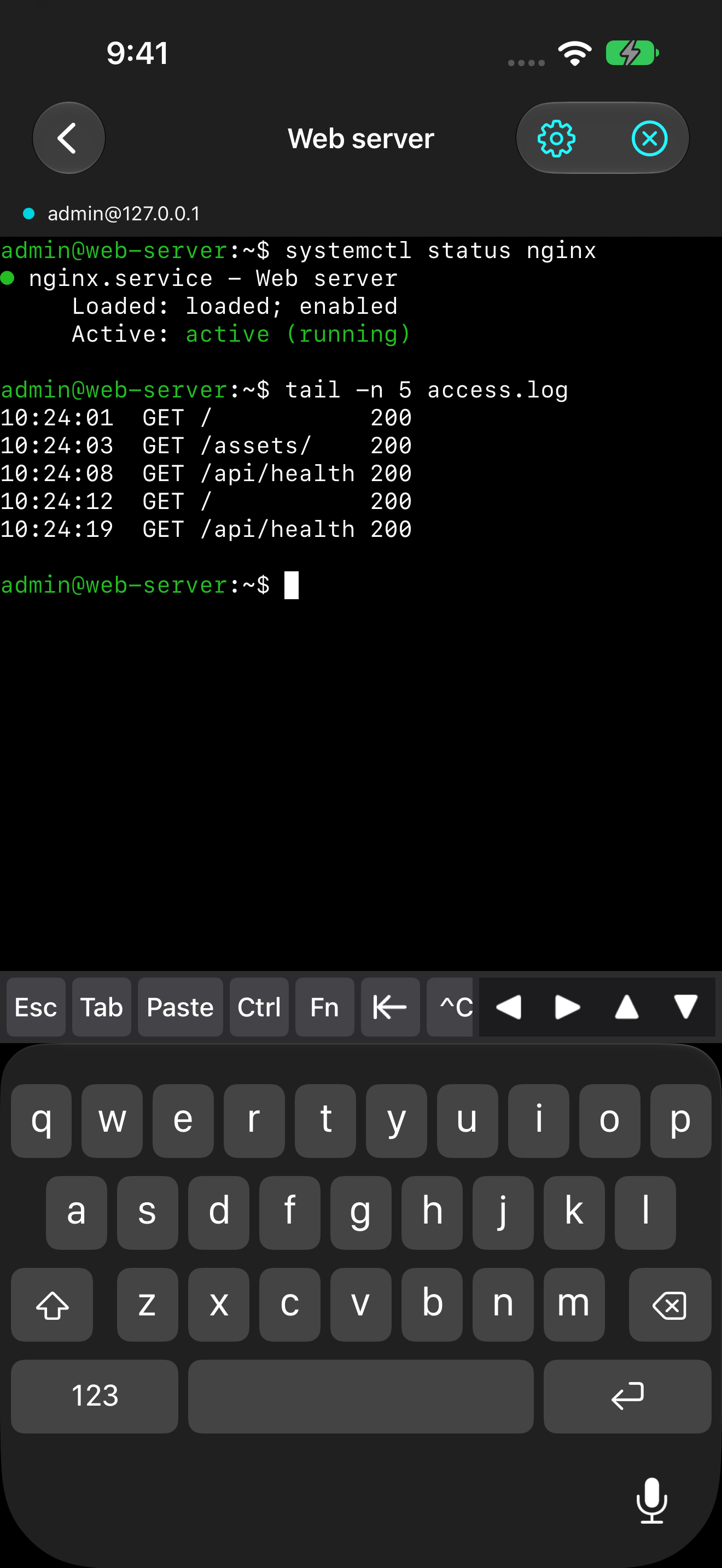
Portline is an SSH client for connecting to servers from your iPhone. It provides a terminal for running commands and viewing logs.
Save connection profiles and use SSH keys or passwords to connect. Extra keyboard keys and repeating arrow input help with terminal operations on a touch screen.
Release status
The iPhone version is being prepared for release. It is not yet available in the App Store.
| Device | iPhone |
|---|---|
| Languages | English and Japanese |
| Price | Free release planned. No ads or in-app purchases. |
| Developer | Maveroni |
The Android version is being tested.
Features
- Saved connections
- Save the host, port, and username, then select a connection from the list.
- SSH key and password authentication
- Generate Ed25519 keys or import supported OpenSSH private keys. Password authentication is also available.
- Extra keyboard keys
- Use Esc, Tab, Ctrl, Paste, and arrow keys from the terminal keyboard toolbar.
- Repeating arrow input
- Hold and slide an arrow key to repeat input. The repeat speed changes with the distance you slide.
- tmux sessions
- Connect to a reusable or existing tmux session to return to your work after a disconnection. Requires tmux on the remote server.
- Display settings
- Adjust the terminal font size and use light or dark appearance. Select English, Japanese, or the system language in Settings.
Screenshots
Before connecting
- An SSH server you are authorized to access and its connection details are required.
- Portline connects directly to your server. It does not use an operator relay.
- Plain SSH connections work without tmux. Preserving a session requires tmux on the server.
Private keys and passwords you choose to save are stored in the iPhone Keychain. See the privacy policy for details.
Support
For connection problems, see the support page. You can also contact us by email.